Overview
My open-source contributions did not start as “projects to publish”.
They started as practical problems I faced while working with real clients and managing real WordPress sites.
In each case, I noticed a pattern:
the same confusion, the same mistakes, the same support questions — repeating again and again.
Instead of fixing these issues once and moving on, I decided to solve them properly and publicly, in a way that stays aligned with how WordPress itself is designed to work.
The goal of these contributions is simple:
Reduce confusion in the WordPress admin
Improve long-term support clarity
Avoid risky or hacky solutions
Respect WordPress philosophy and user trust
Below are three case studies that explain why these tools exist, how I approached them, and what I learned from building them.
Focus
WordPress Support & Tools
CONTRIBUTION TYPE
Open Source Plugins
DELIVERABLES
3 Public Plugins
PLATFORMS
GitHub · WordPress.org
Few stories of my contributions
Case Study 1 — Admin Label Renamer (Approved by wordpress.org & live now)
CONTEXT
I once worked with a client who runs a small news agency.
He was not a developer — he was a journalist and editor.
When he logged into WordPress, he kept getting confused by the default admin terminology:
“Posts” did not feel like news
“Users” did not feel like reporters
“Plugins” looked dangerous and unclear
Even though the site itself was working perfectly, the admin dashboard was mentally stressful for him.
The Challenge
The client’s actual needs were very simple:
He wanted to manage News
He wanted to manage Reporters
He did not want to accidentally touch technical things
But WordPress admin language is designed for developers first, not for newsroom workflows.
Most solutions I found were risky:
Editing core files
Changing post types unnecessarily
Hiding menus using CSS
Installing heavy “admin redesign” plugins
All of these either:
Broke updates
Caused permission issues
Or created long-term maintenance risk
My approach
I decided to not fight WordPress, but work with it.
Instead of changing how WordPress behaves internally, I focused only on how labels are presented visually in the admin.
The idea was:
Let WordPress stay WordPress
Change only what the user sees
Make it fully reversible
Keep it admin-only
For that client:
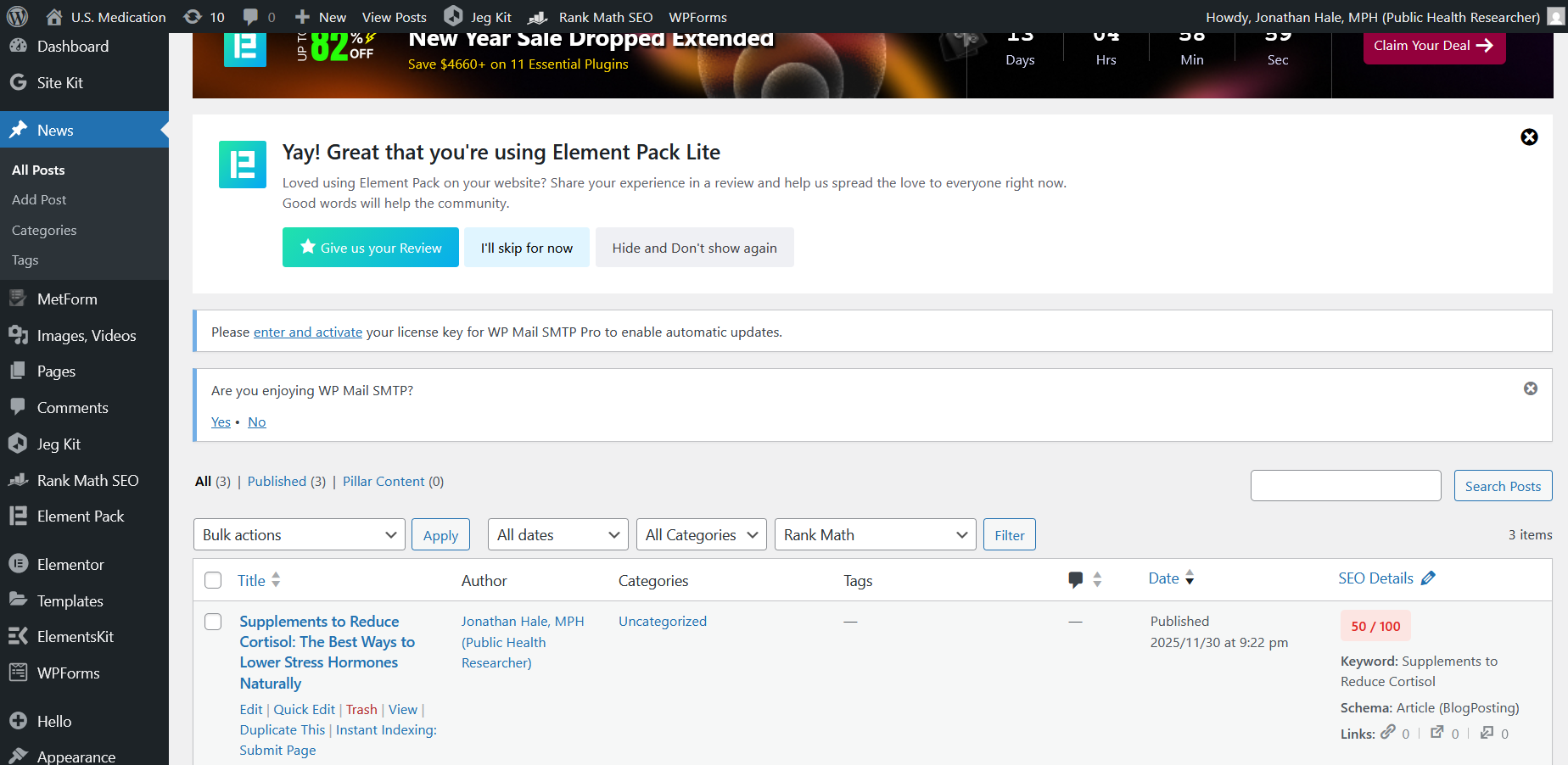
“Posts” became “News”
“Users” became “Reporters”
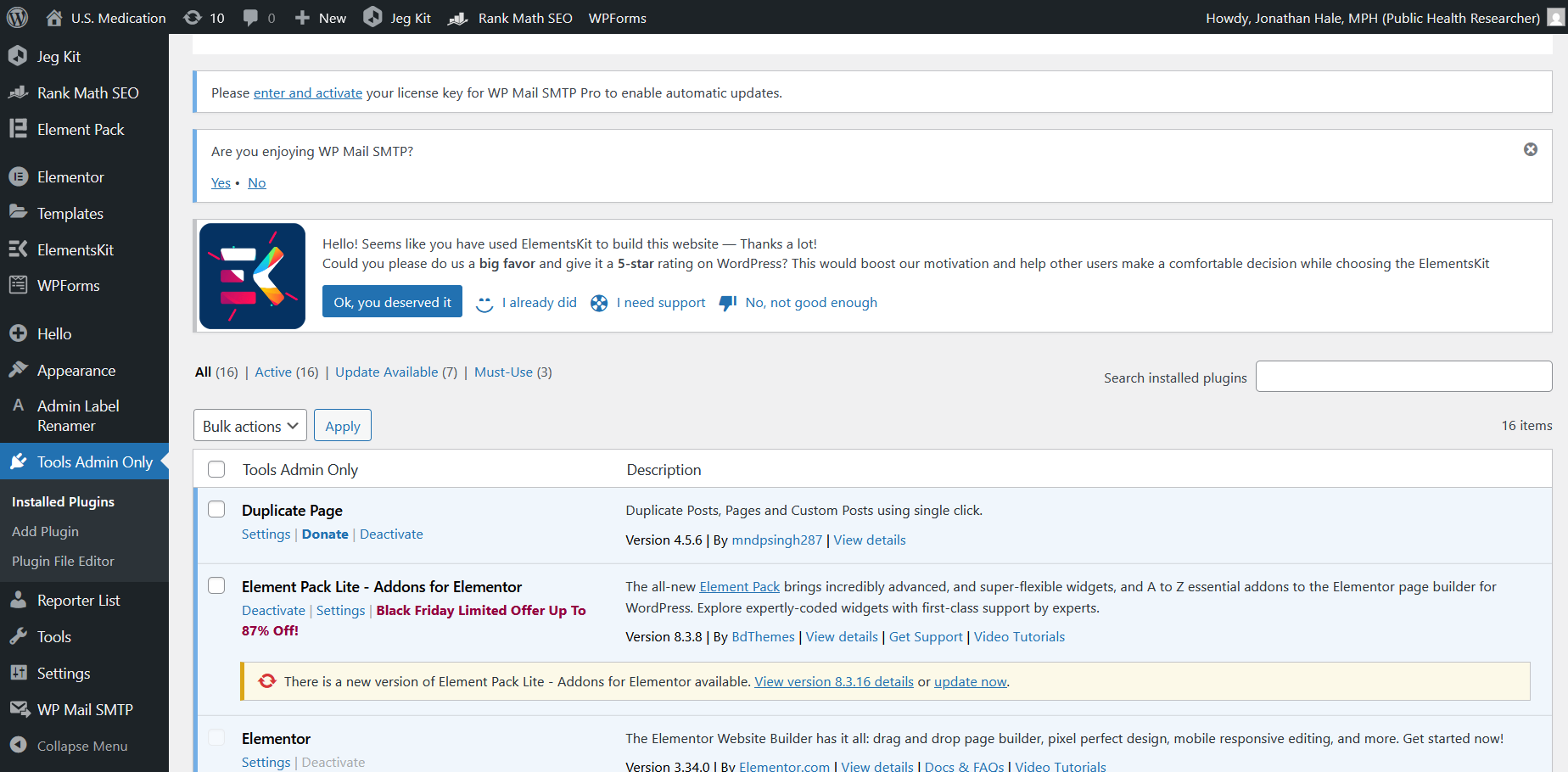
Technical sections stayed admin-only and clearly named
This reduced confusion immediately, without touching permissions, post types, or URLs.
What the Plugin Does
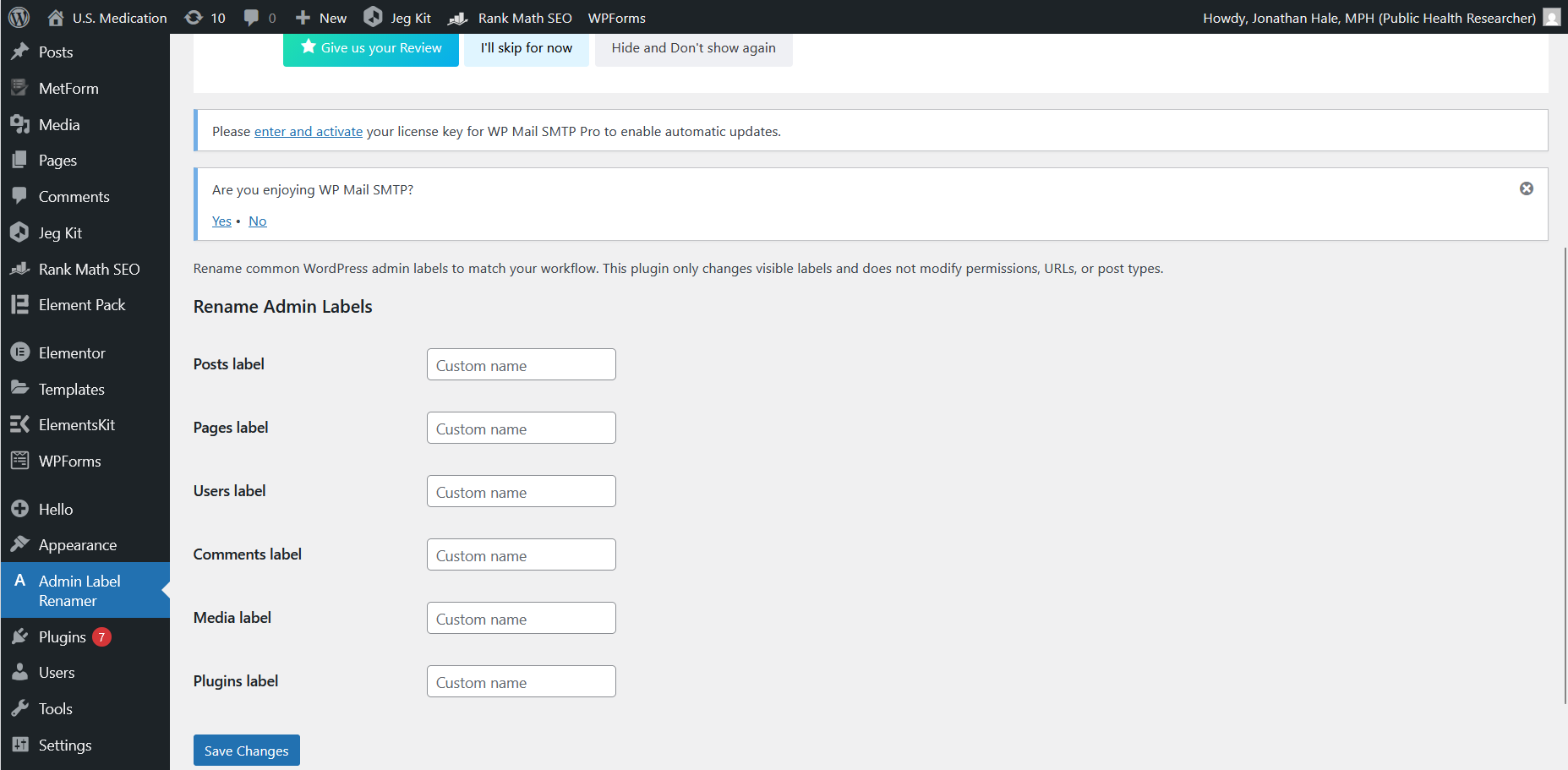
Admin Label Renamer allows administrators to rename common WordPress admin labels such as:
Posts
Pages
Users
Media
Plugins
Comments
It works only inside wp-admin and does not affect the front end.
The plugin:
Uses WordPress core hooks
Stores labels safely using the Options API
Applies changes only for display purposes
Leaves WordPress behavior untouched
CONCLUSION
This plugin was built after working with a small news agency where the editor found the WordPress dashboard confusing. Terms like “Posts” and “Users” didn’t match how they ran their business. Instead of hiding things or changing core behavior, I built a simple, admin-only solution that lets WordPress speak the client’s language while staying safe and reversible.
WordPress.org Live Plugin: https://wordpress.org/plugins/admin-label-renamer/
GitHub: https://github.com/saivarshithavunoori/wp-admin-label-renamer
Case Study 2 — Admin Change Log
CONTEXT
This problem started with my own workflow, not a client’s.
While managing multiple sites, I noticed something frustrating:
sometimes things changed — and I couldn’t immediately remember when or why.
Examples:
I added Customizer CSS weeks ago and forgot
A plugin was updated and behavior changed
A theme was switched during testing
Nothing malicious. Just human memory.
The Challenge
Most logging plugins are either:
Too detailed
Too noisy
Privacy-invasive
Focused on security instead of support
I didn’t want to log everything.
I just wanted to answer one question calmly:
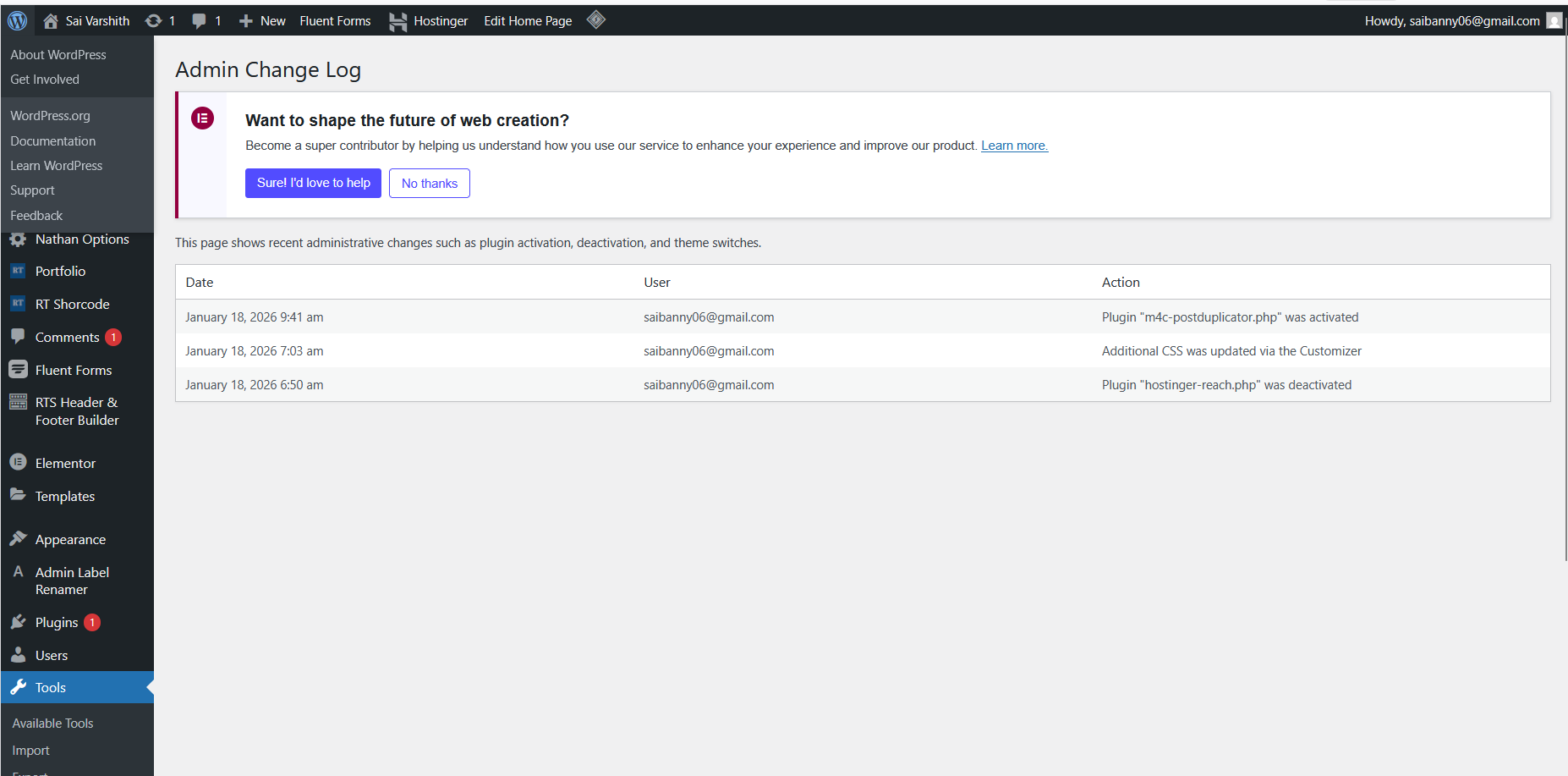
“What changed in the admin, and when?”
My approach
I built this plugin for myself first.
I intentionally limited the scope:
Log only high-impact admin actions
Avoid logging content, IPs, or private data
Keep it readable, not overwhelming
Make it admin-only and read-only
No configuration screens.
No exports.
No background jobs.
Just a simple timeline that helps with reasoning and debugging.
What the Plugin Does
Admin Change Log records:
Plugin activation and deactivation
Theme switches
WordPress core updates
Plugin and theme updates
User role changes
Customizer “Additional CSS” changes (without storing CSS content)
It does not log:
Page or post edits
Page builder activity
Login data
IP addresses
Front-end behavior
The log is:
Stored safely using the Options API
Limited to the latest 500 events
Automatically cleaned on uninstall
CONCLUSION
I built this plugin for myself while managing multiple sites. I often needed clarity on what changed and when—without noisy logs or privacy issues. Admin Change Log records only high-impact admin actions and presents them clearly, making it easier to debug issues calmly and responsibly.
GitHub: https://github.com/saivarshithavunoori/admin-change-log
Case Study 3 — US Medication Tools
CONTEXT
This project came from working with healthcare-related content and noticing how fragmented medication information is for users.
People often search for:
Alternative medicines
Equivalent brands
Side effects
Safety information
But most sites either overload users with jargon or present information without clear sourcing.
The Challenge
The challenge was twofold:
Presenting medication-related information responsibly
Making it usable and understandable for normal users
At the same time, I wanted:
Clear separation between logic and presentation
A WordPress-native solution
Flexibility for site owners to control styling
My approach
I designed the tools around clarity and restraint.
Instead of building a heavy frontend system, I focused on:
Shortcode-based architecture
Clean data handling
Responsible phrasing and disclaimers
Theme-level styling control
AI-assisted tools were used during development, but decisions around structure, safety, and user flow were handled manually.
What the Plugin Does
The US Medication Tools include:
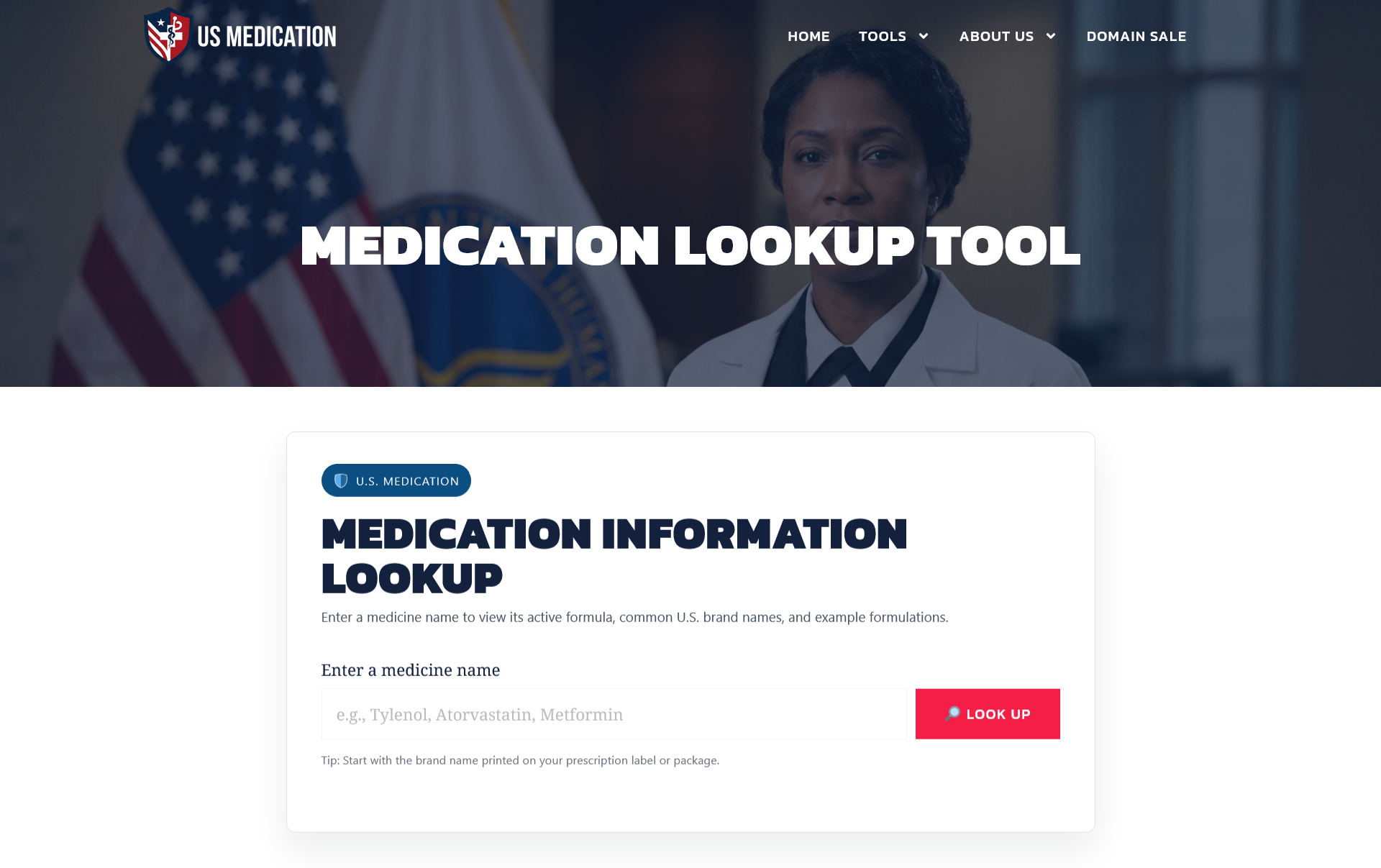
Medication lookup
Alternative and equivalent brand comparison
- Side effects and safety information
They are live and actively used on: https://usmedication.com
Each tool can be embedded using shortcodes and styled via theme CSS or page builders.
CONCLUSION
This project focuses on presenting medication information clearly and responsibly using reliable US healthcare data sources. It is designed as a real production tool, not a demo—integrated into WordPress, actively used, and maintained with care. The goal is to help users understand medications, alternatives, and possible side effects in a simple and safe way, without replacing professional medical advice.
GitHub: https://github.com/saivarshithavunoori/usmedication-tools
Live Site: https://usmedication.com/